
Varnish vs File Storage in Magento 2: Why Varnish Wins
Introduction
Magento 2 offers two main Full Page Cache (FPC) mechanisms: built-in File Storage/Redis and external Varnish Cache. In this article, we'll explain why Varnish isn't just "another option" — it's a fundamentally different level of performance.
How Page Caching Works in Magento 2
Before comparing, it's important to understand the architecture. Full Page Cache in Magento 2 saves ready-to-serve HTML code of pages to avoid repeating the entire cycle: loading PHP, database queries, rendering blocks and templates.
File Storage/Redis: Built-in Solution
When using File Storage/Redis, Magento saves cached pages to the filesystem (by default in var/page_cache/) or Redis. When a request arrives:
- Nginx/Apache receives the request
- Passes it to PHP-FPM
- Magento checks for cache in the filesystem or Redis
- If cache exists — reads it and returns the content
- If not — generates the page completely
Varnish: HTTP Accelerator
Varnish works fundamentally differently. It's a separate service that sits in front of the web server:
- Varnish receives the request directly (port 80/443)
- Checks its cache in RAM
- On cache hit — instantly returns the response without even contacting Nginx/PHP
- On cache miss — proxies the request to Magento, receives the response and caches it
Key Advantages of Varnish
1. Response Speed: Milliseconds Instead of Hundreds of Milliseconds
The main advantage of Varnish is serving content from RAM without PHP involvement.
| Metric | File Storage/Redis | Varnish |
|---|---|---|
| Response time (cache hit) | 50-200 ms | 1-10 ms |
| PHP involvement | Yes | No |
| Disk reads | Yes | No (RAM) |
| Offload to separate server | No | Yes |
With File Storage/Redis, even a cached page requires PHP process initialization, file reading from disk, and processing. Varnish returns a ready response directly from memory — this is an order of magnitude faster.
2. No MySQL Queries
When using File Storage/Redis, every request still goes through Magento, which means database queries are executed. Even for a cached page, Magento accesses MySQL to verify cache validity, load configuration, and other service operations.
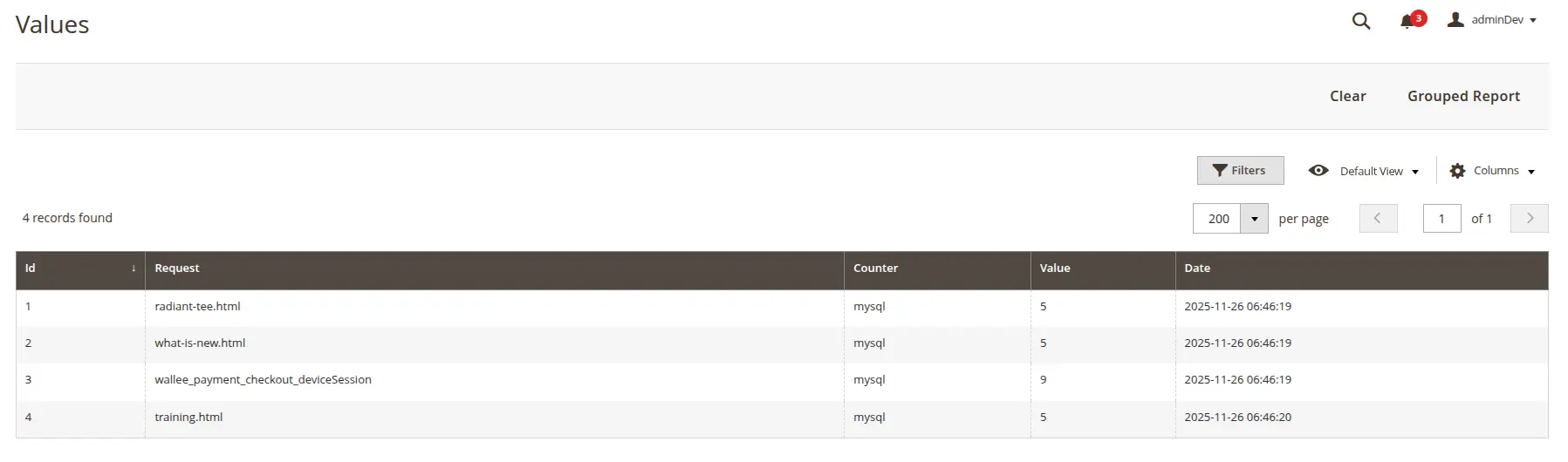
Varnish completely eliminates MySQL interaction when serving cached content. The database doesn't receive a single query — the response is formed exclusively from Varnish's RAM.
3. No Redis Queries
The situation is similar with Redis. With File Storage/Redis, Magento accesses Redis for sessions, configuration, and other data even on cache hits. This creates additional load on the Redis server and network latency.
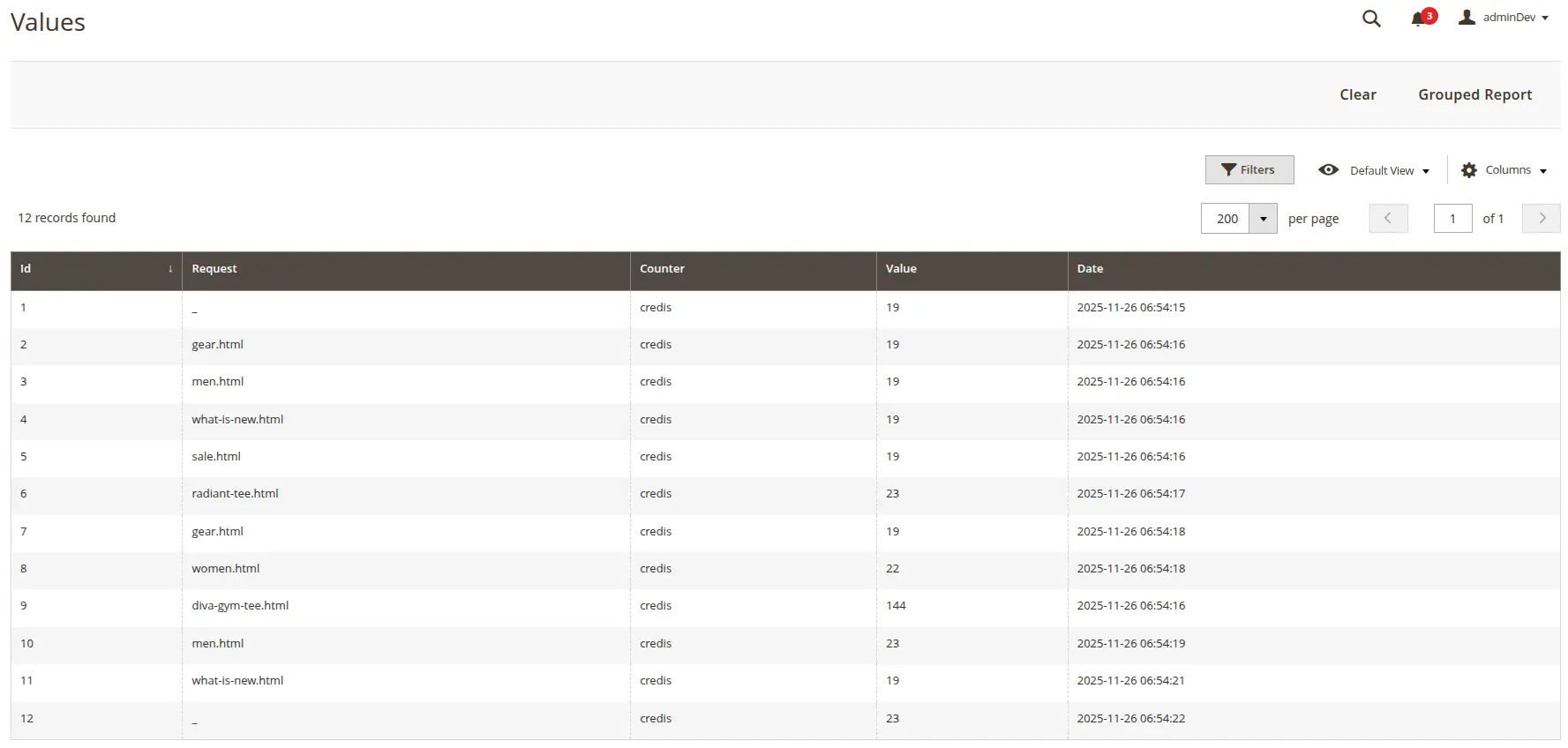
With Varnish, Redis queries only happen on cache misses when page generation is actually required. On cache hits, Redis is not used at all.
4. No Load on PHP Workers
File Storage/Redis requires loading PHP workers for every request. This is a critical problem, especially when using Apache with mod_php — each request occupies a separate process, quickly exhausting server resources.
With Nginx + PHP-FPM, the situation is better, but delays still occur: PHP process initialization, autoload loading, Magento bootstrap code execution — all this takes time even for a cached page.
Varnish solves this problem radically: PHP workers are not involved on cache hits. This means:
- Workers remain free for processing truly dynamic requests
- No PHP-FPM queues during peak loads
- The server can handle many times more concurrent requests
When File Storage/Redis Is Still Suitable
File Storage/Redis is not a bad solution. It's suitable for:
- Small stores with up to 1,000 visitors per day
- Development and testing — easier to configure, no additional service needed
- Limited resources — when there's no ability to set up Varnish
- Simple hosting — shared hosting won't allow installing Varnish
If your store fits within these limits and the load is stable — File Storage/Redis will handle it. But as soon as growth ambitions appear, Varnish becomes a necessity.
Comparison Table
| Criterion | File Storage/Redis | Varnish |
|---|---|---|
| Response time (cache hit) | 50-200 ms | 1-10 ms |
| PHP involvement | Required | Not required |
| Cache storage | Disk/Redis | RAM |
| Scalability | Low | High |
| Peak loads | Poor | Excellent |
| Configuration complexity | Simple | Medium |
| Configuration flexibility | Limited | High (VCL) |
| ESI support | No | Yes |
| Grace Mode | No | Yes |
| Magento integration | Built-in | Built-in |
| Cost | Free | Free (open source) |
Practical Recommendations
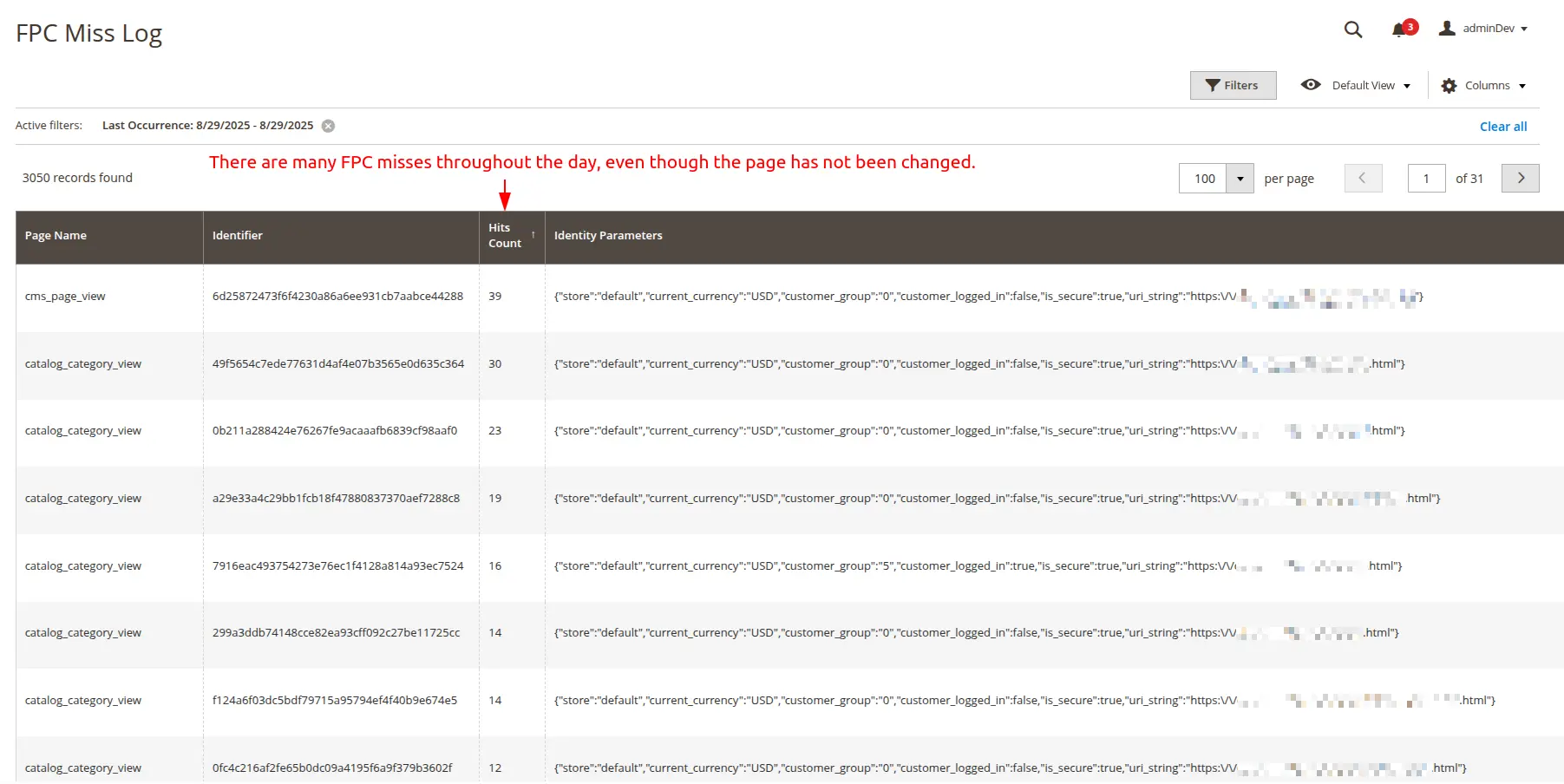
To achieve a high cache hit ratio, deep store analysis is required: which pages are cached, which are not, and why invalidation occurs. We use our own Freento FullPageCache Analyzer module for FPC diagnostics and optimization.
Conclusion
Varnish and File Storage/Redis solve the same task — page caching. But they do it at different levels. File Storage/Redis is "caching inside Magento", while Varnish is "caching instead of Magento".
For a serious e-commerce project, Varnish is not an option — it's a standard. It provides:
- Response time in milliseconds
- Ability to handle peak loads
- Resilience during backend failures
- Flexible cache management
If your store is growing or you're preparing for growth — invest time in setting up Varnish. The performance difference will pay off these efforts many times over.